The goal of the module is to create an examination system based on a shared question bank. Each organization can upload their own question sets, share them, or choose from questions shared by others. Custom tests can be created with customizable content. During exams, test sheets are dynamically generated, so the order of questions and answers is always random.
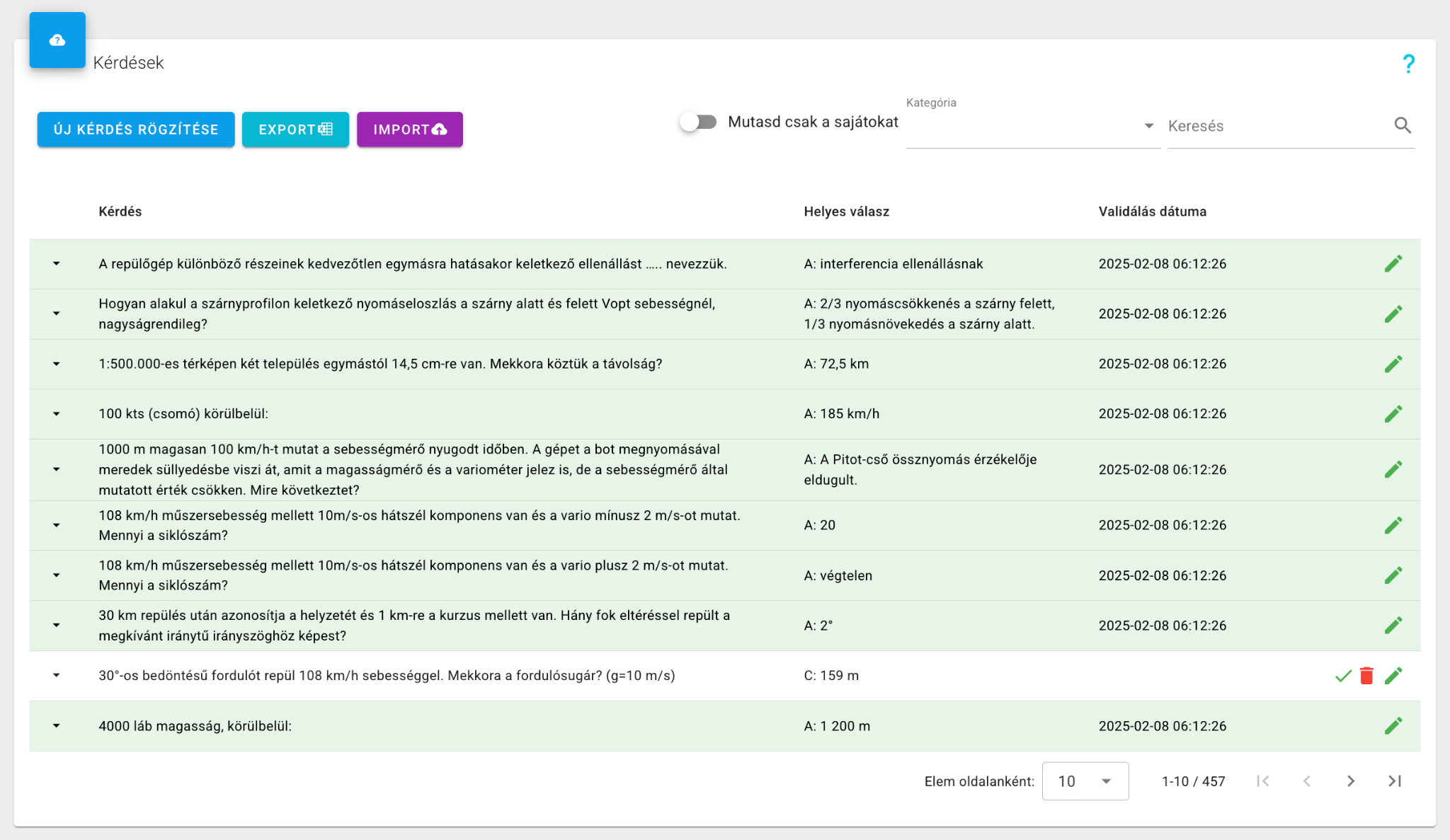
The main screen shows questions and correct answers in list view. Questions can be edited and new ones created. Existing questions can be exported. Category-based filtering is available, as well as filtering to show only the organization's own questions. Every question must be validated after editing before it can be used. Non-validated questions can also be deleted from the list view.
Questions are multiple-choice with minimum 2 and maximum 5 answers. Each question has a difficulty level from 1–3, where 3 is the hardest — this also indicates the point value. A free-text subcategory enables more precise filtering (e.g., airport ICAO code, aircraft type). The "PPL question" flag makes a question appear only on PPL-marked test sheets. Sharing can be disabled if a question is not relevant to other organizations.
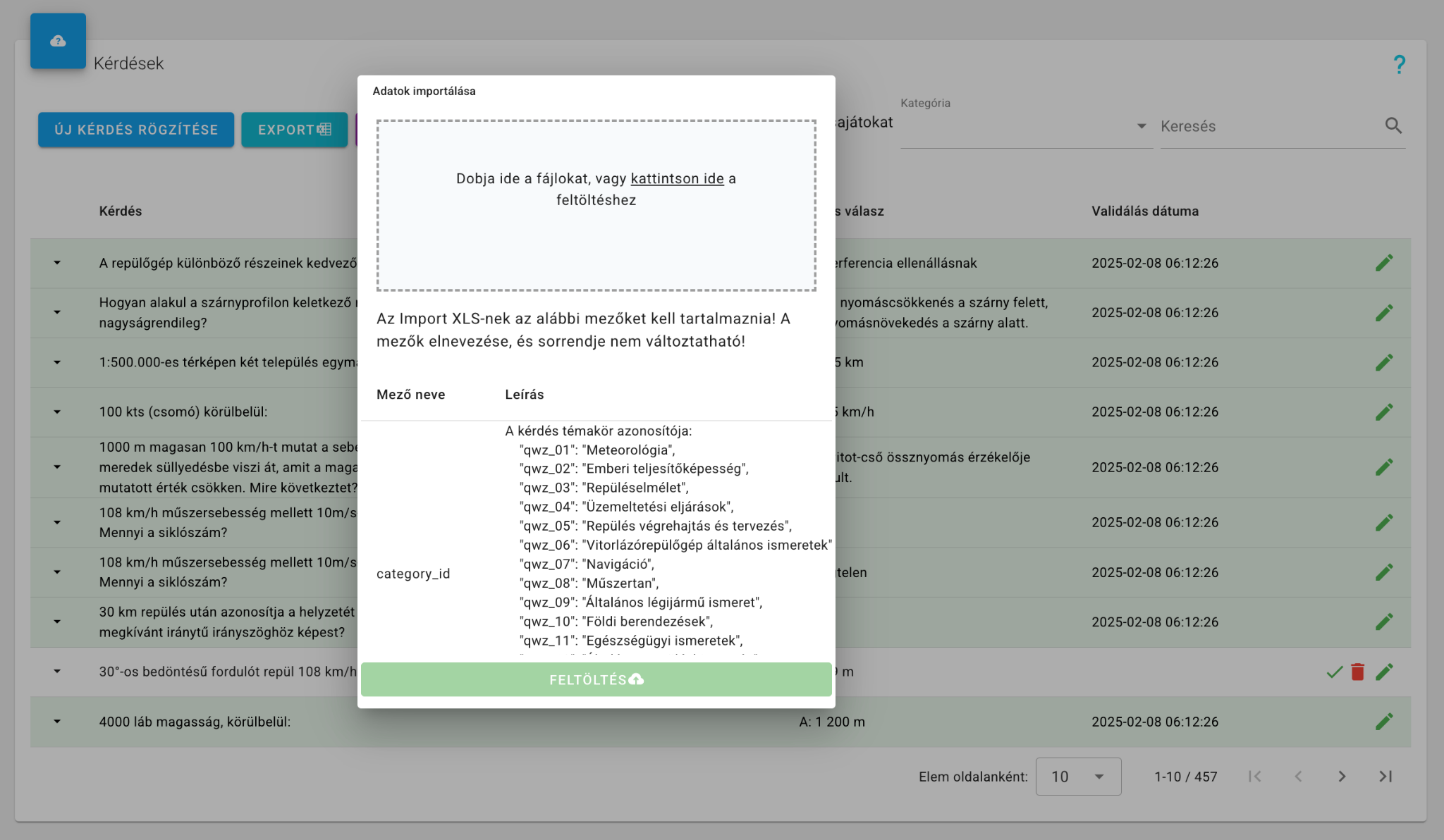
Bulk question upload via XLS import is also supported. Column names and order must follow the format description. Import significantly speeds up initial question bank setup.
The import format description is available in the system. Questions can be edited in XLS and the completed file uploaded.
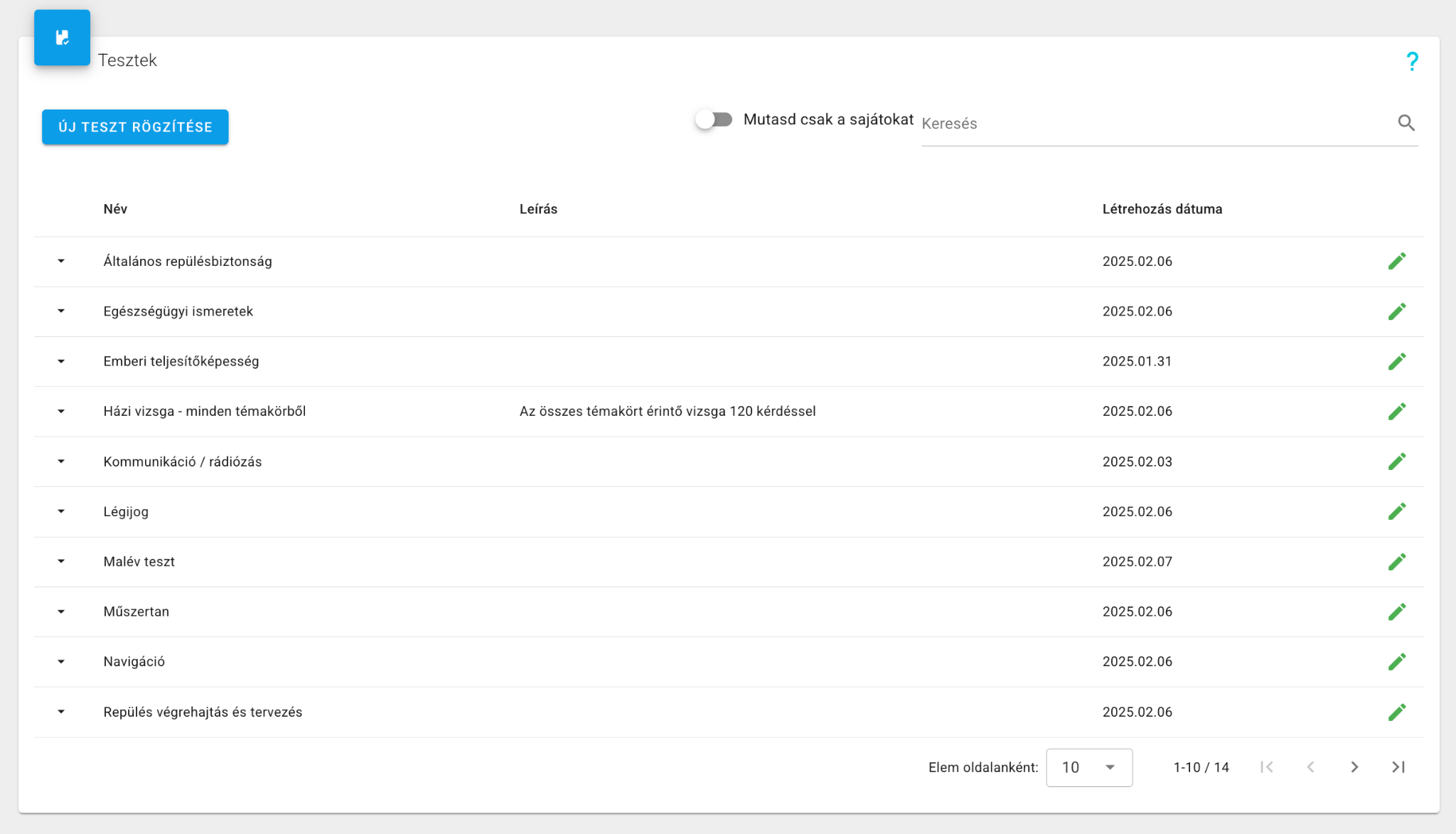
This interface is used to create and modify test sheets. The system includes pre-built test sets for each main topic, accessible to all but not editable. Organizations can freely create and edit their own tests. When creating a test sheet, you define the test name, the required pass percentage, the time limit in minutes, and the question categories.
For example, if 10 questions from the Meteorology category are set at difficulty 3, the system will randomly select 10 questions from that topic with a maximum difficulty of 3. Difficulty is freely scalable to match student knowledge level. The "PPL test" option includes PPL-marked questions during generation. A subcategory filter can be set per category. Created test sheets can be shared with other organizations.
The order of questions and answer options is randomized for every exam.
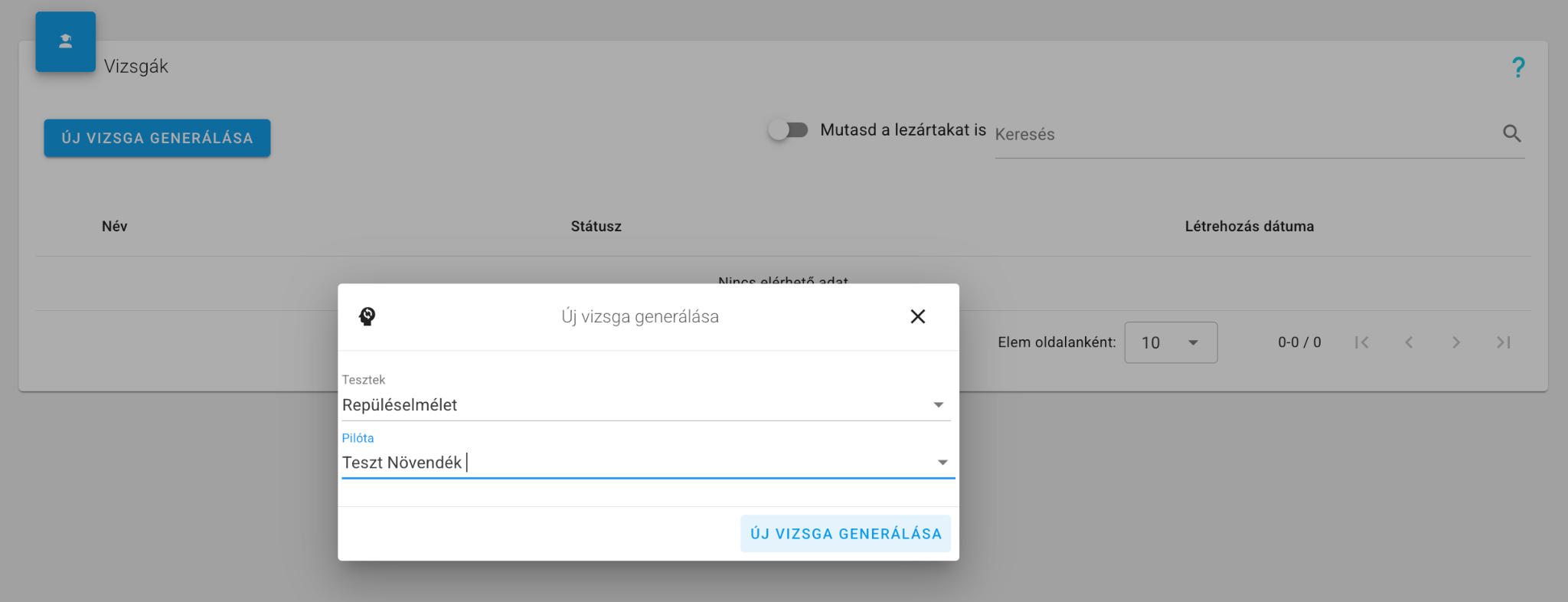
Exams are created on this interface. When generating a new test, the system creates a new test sheet for the specified user with randomly generated content matching the defined parameters. The generated exam also appears in the user's own profile where they can fill it in. The interface shows the status of each exam (not filled / in progress / completed) and results can be viewed. The exam result can also be downloaded as a PDF report.
Exam statuses:
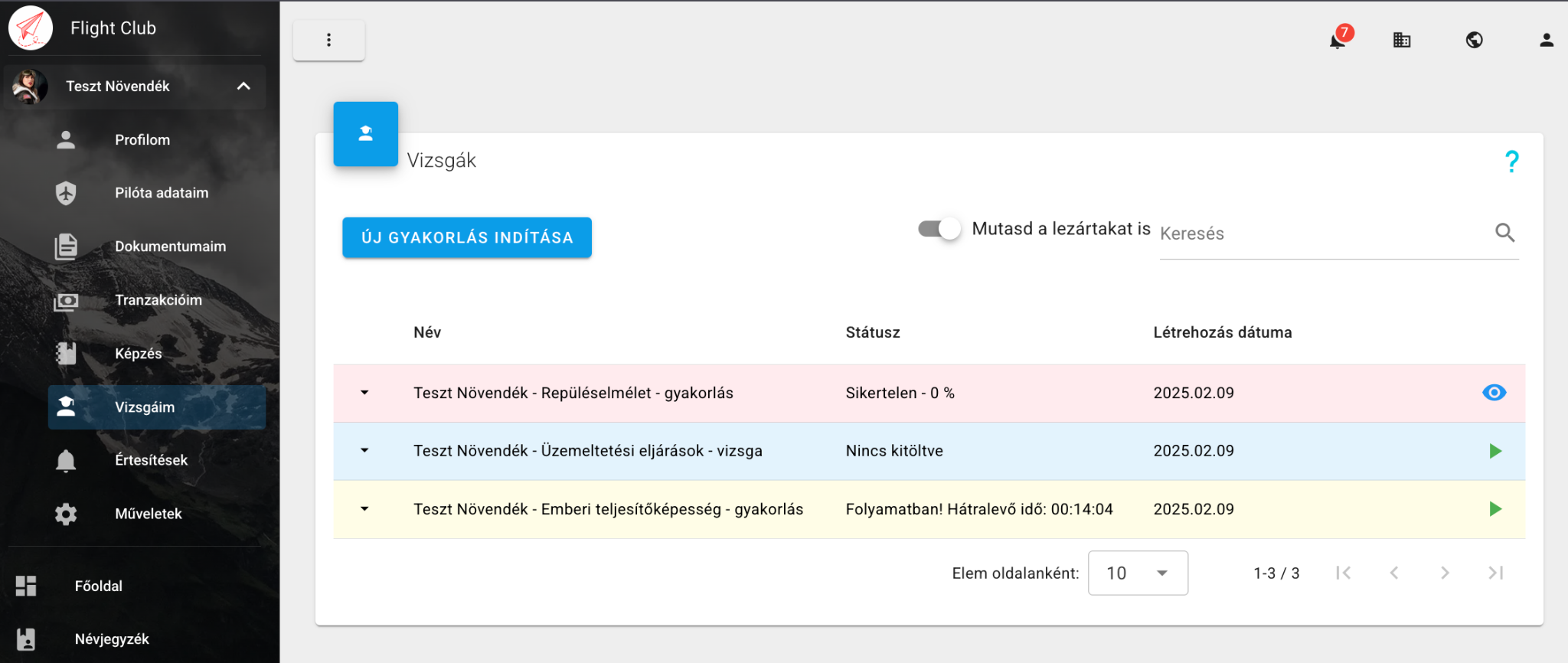
Exams issued by instructors are accessible to pilots under their own profile in the My Exams menu. Practice is also available here. Each test shows its status and whether it was a practice or an actual exam. Practice results are only visible to the user; instructors can only access actual exam results.
When starting a test, the user receives the question set and can answer within the given time frame. The current and remaining question count and remaining time are visible. Questions cannot be navigated back — the next question is requested after answering the current one. If the user accidentally exits, the exam can be continued as long as the time limit has not expired. Exams with expired time are automatically closed and evaluated. The exam can be interrupted at any time — unanswered questions score 0 points.
Evaluation takes place at the end of the exam. Answers score 1–3 points depending on question difficulty. The exam is successful if the user reaches the set percentage threshold in every topic. Evaluation is done per topic and in total.
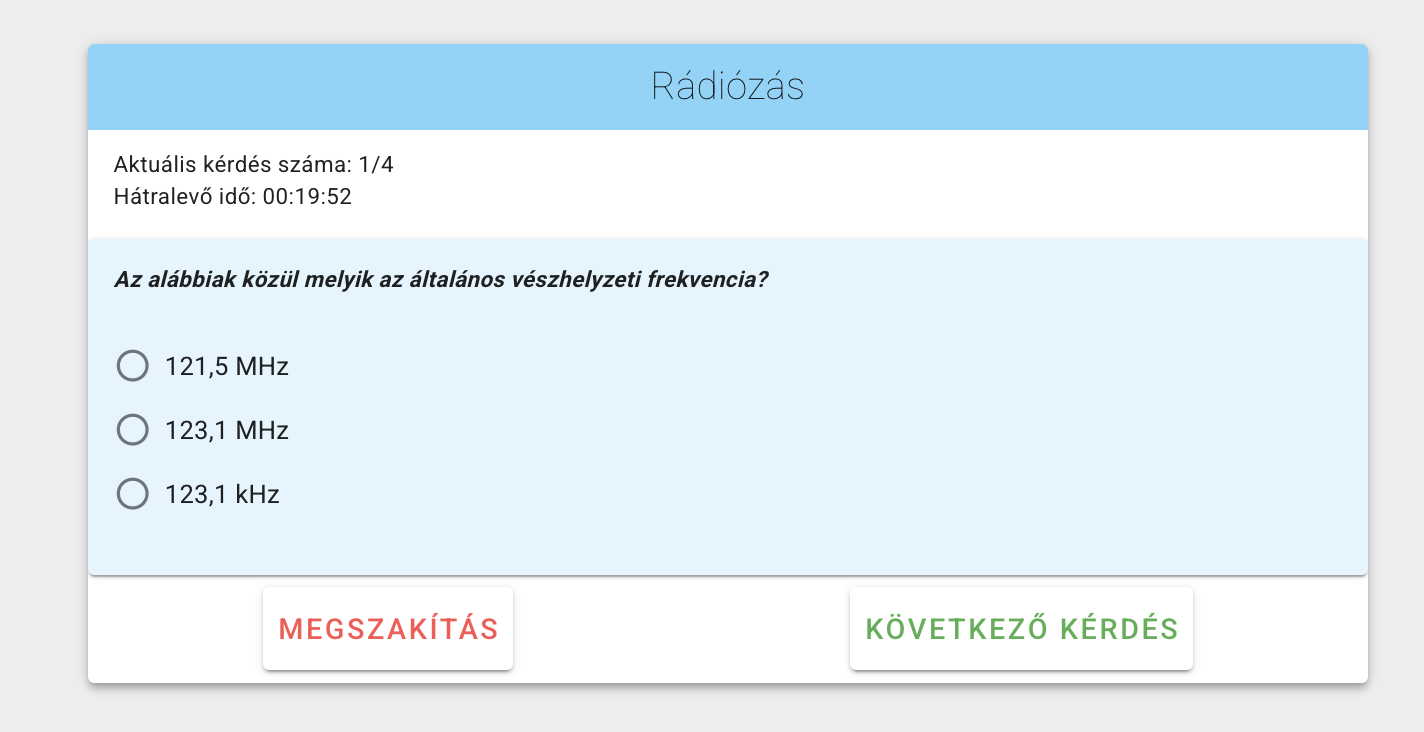
Overall evaluation
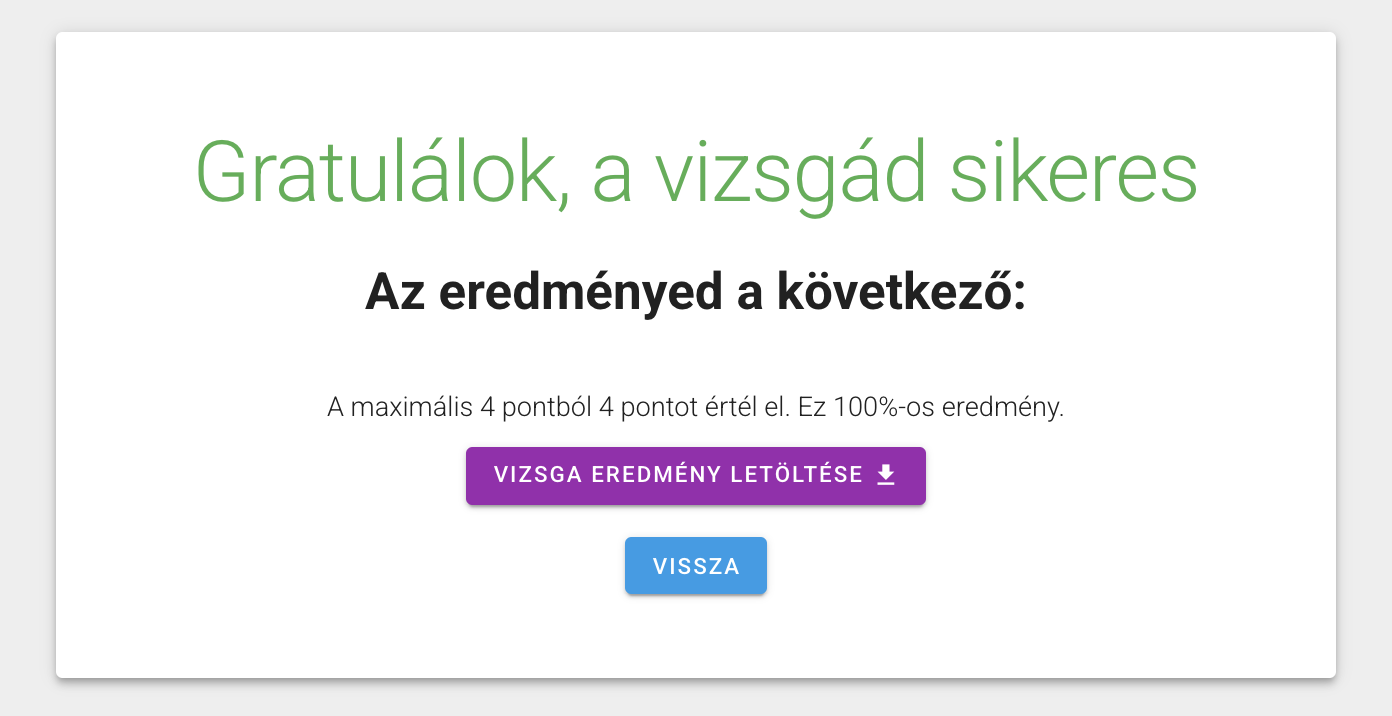
Per-topic evaluation
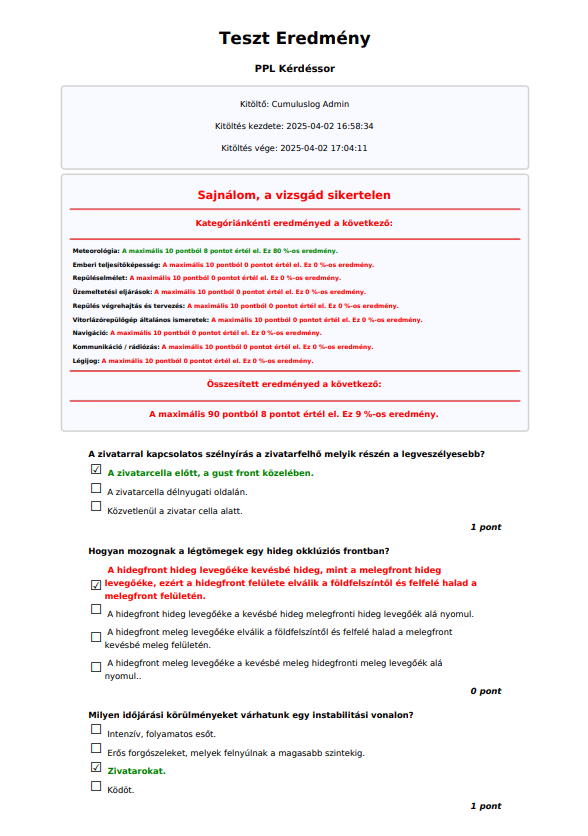
PDF report per question
Reached the set % in every topic
Did not reach threshold in at least one topic
Every category evaluated separately
Detailed report available to instructors
PDF Report: The exam result can be exported as a PDF, showing points earned and answers for each question. This function is exclusively available to instructors.