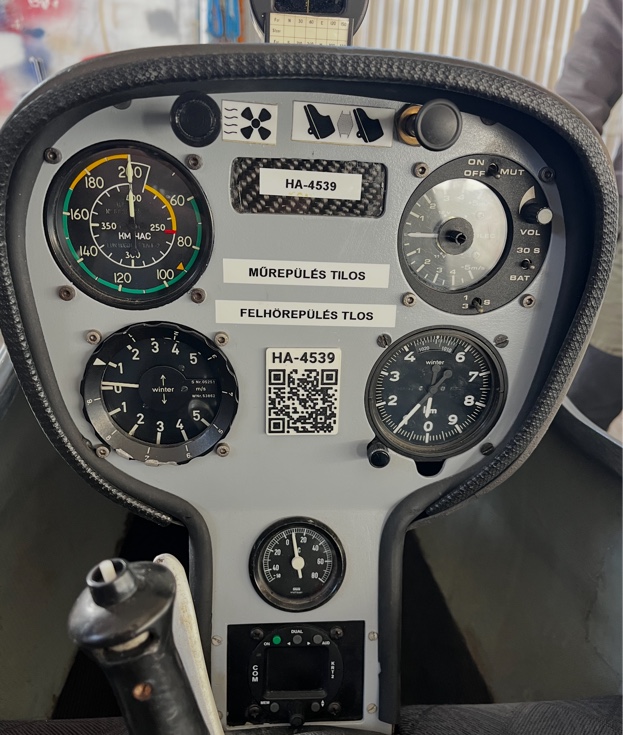
The Token is a 3D-printed physical device containing a QR code and an NFC chip. It is manufactured individually for each aircraft, includes the registration mark, and identifies the aircraft in the system. The Token should be mounted in an easily accessible location inside the cockpit.
Logging screen accessible instantly by touch
Also works for phones without NFC
Individually manufactured for each aircraft
Each Token is unique, works only for that aircraft
The flight logging screen can be accessed in two ways — depending on the phone's capabilities.
Most modern smartphones have an NFC reader. Simply touch the phone to the Token and the flight logging screen appears immediately — no app installation required.
If the phone does not have an NFC reader, the same screen can be accessed by scanning the QR code. After logging in, the system automatically redirects to the logging page.
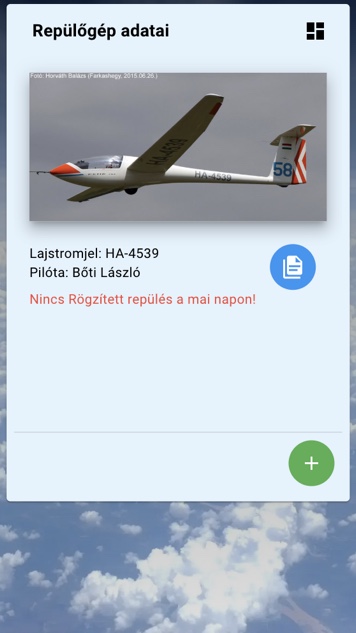
The logging page is pre-filled with the registration mark, pilot name, and default takeoff method. In most cases, a single tap on Save is all that's needed to pre-register a flight.
In most cases, a single tap on Save is all that's needed to pre-register a flight.
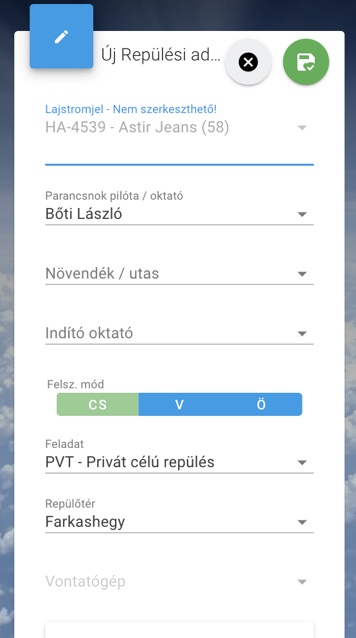
After pre-registration, the system monitors OGN data. If the aircraft has OGN or FLARM equipment, takeoff and landing are recorded automatically. If no such device is present, flights can also be started and closed manually.
Automatic takeoff/landing recording
Also for aircraft without OGN
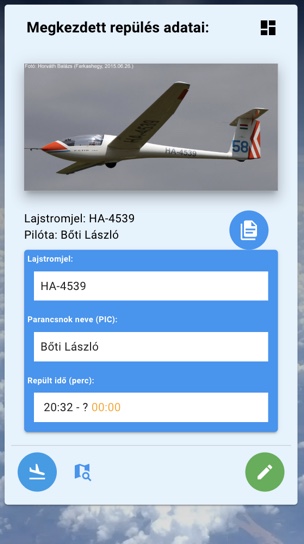
The main page displays a flight info box with takeoff/landing data, the flight track, and — if a financial module is configured — the cost of the flight.
The Token works in sync with the gliding timer interface. In combined use, the pilot does not check in at the timer — instead they log their own flight on their phone, simplifying the timer operator's work as well.
Every Token is manufactured individually for the specified registration. Volume discounts apply for multiple tokens.